Showing posts with label Linux. Show all posts

Saturday, July 9, 2022

How to prevent wifi sleep after suspend for Ubuntu Linux

 1. Change power state of the wifi card to 3

```

$cat /etc/NetworkManager/conf.d/default-wifi-powersave-on.conf

[connection]

wifi.powersave = 3

# Slow sleep fix: https://bugs.launchpad.net/ubuntu/+source/linux/+bug/1670041

#wifi.powersave = 2

```

2. After saving the file run `sudo systemctl restart NetworkManager`

3. Make a reset bash script and name it `iwlwifi-reset`

```

#!/bin/sh


# NAME: /lib/systemd/system-sleep/iwlwifi-reset

# DESC: Resets Intel WiFi which can be flakey after a long suspend.

# DATE: Apr 1, 2017. Modified August 30, 2017.


MYNAME=$0


restart_wifi() {

    /usr/bin/logger $MYNAME 'restart_wifi BEGIN'

    /sbin/modprobe -v -r iwldvm # This removes iwlwifi too

    /sbin/modprobe -v iwlwifi   # This starts iwldvm too

#    systemctl restart NetworkManager.service

    /usr/bin/logger 'systemctl restart NetworkManager.service (SUPPRESSED)'

    /usr/bin/logger $MYNAME 'restart_wifi END'

}

/usr/bin/logger $MYNAME 'case=[' ${1}' ]'

case "${1}/${2}" in

    hibernate|suspend|pre*)

      ;;

    resume|thaw|post*)

      restart_wifi;;

esac

```

4. Copy the iwlwifi-reset script to systemd folder

```

sudo cp -r /path-to-iwlwifi/script /lib/systemd/system-sleep/

```

5. Set excute permission for the script

```

chmod a+x /lib/systemd/system-sleep/iwlwifi-reset

```

Sunday, July 3, 2022

Configure VPN L2TP/IPSec on Ubuntu for Ubuntu Linux


1. sudo apt-get install network-manager-l2tp

2. sudo apt-get install network-manager-l2tp-gnome

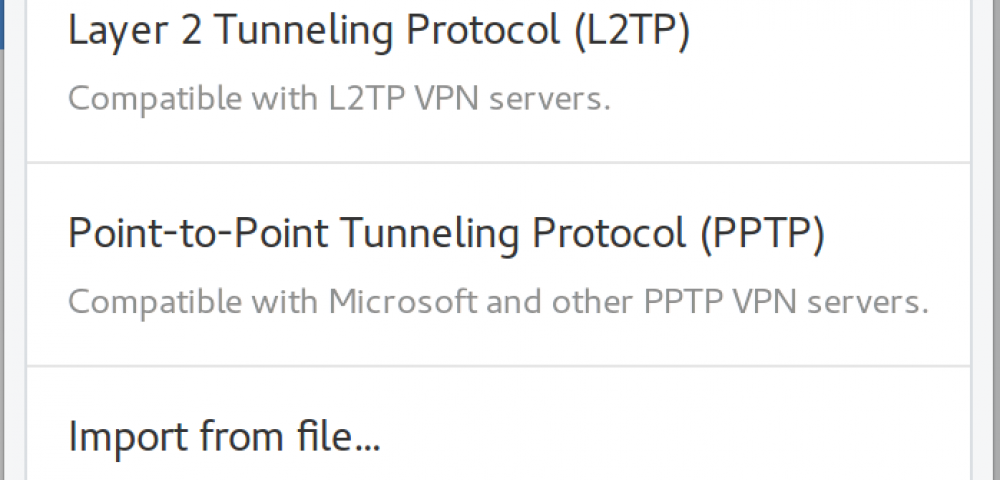
3. Settings > Network > Click on "+" > Then choose "Layer 2 Tunneling Protocol (L2TP)"

4. Input VPN name into "Name" textbox.

5. Input host name into "Gateway" textbox.

6. Input user name into "Username" textbox. 

7. Input password into "Username" textbox. 

8. Choose "IPSec Settings".

9. Tick "Enable IPsec tunnel to L2TP host" checkbox

10. Input shared secret into "Pre-shared key". textbox


Bonus:

sudo service xl2tpd stop

sudo systemctl disable xl2tpd

Tuesday, June 28, 2022

Install a custom font on Ubuntu Linux

Install a custom font

sudo mkdir /usr/share/fonts/myfonts && cd /usr/share/fonts/myfonts

sudo unzip -d . ~/Downloads/font.zip

sudo fc-cache -fv

fc-match FontName


Install Microsoft font

sudo apt install ttf-mscorefonts-installer

Font supported list:

  • Times New Roman
  • Arial Black
  • Arial
  • Comic Sans MS
  • Courier New
  • Impact
  • Verdana

Friday, June 17, 2022

Install wireguard on Ubuntu Linux 22.04 LTS

Installing the WireGuard Client

sudo apt update && sudo apt upgrade

sudo apt install openresolv

sudo apt install wireguard


Generating Private and Public Keys

wg genkey | tee private.key | wg pubkey > public.key

sudo nano /etc/wireguard/wg0.conf


In the file type:

[Interface]

PrivateKey = <contents-of-client-privatekey>

Address = 10.0.0.1/24

PostUp = iptables -A FORWARD -i wg0 -j ACCEPT; iptables -t nat -A POSTROUTING -o eth0 -j MASQUERADE

PostDown = iptables -D FORWARD -i wg0 -j ACCEPT; iptables -t nat -D POSTROUTING -o eth0 -j MASQUERADE

ListenPort = 51820

[Peer]

PublicKey = <contents-of-server-publickey>

AllowedIPs = 10.0.0.2/32


WireGuard Startup

sudo wg-quick up wg0


Check connection status

sudo wg show


Friday, June 10, 2022

[Linux] Install the Nvidia driver and power saving on the dual Nvidia - Intel gpu laptop on Ubuntu


The purpose of this tutorial is to install the NVIDIA drivers on Ubuntu Linux on optimus system ( Intel + Nvidia) and switch from a opensource Nouveau driver to the proprietary Nvidia driver. Follow along with our step by step instructions below to install NVIDIA drivers on Ubuntu.

1. Nvidia Graphic Install

Go to Activities >> Software & Updates >> Additional Drivers.

Apply changes and reboot the system post the installation and then validate the driver installation by going again to the Additional Drivers tab. 

2. Install Nvidia Prime

sudo apt-get install nvidia-prime


Then you will have Nvidia X Server Settings in Dash. And there you can find PRIME profiles.

Everytime you wanna switch to Intel vga, just type using this command sudo prime-select intel Switch back to nvidia sudo prime-select nvidia